Where can I make changes to the layout and form information on the my account page?
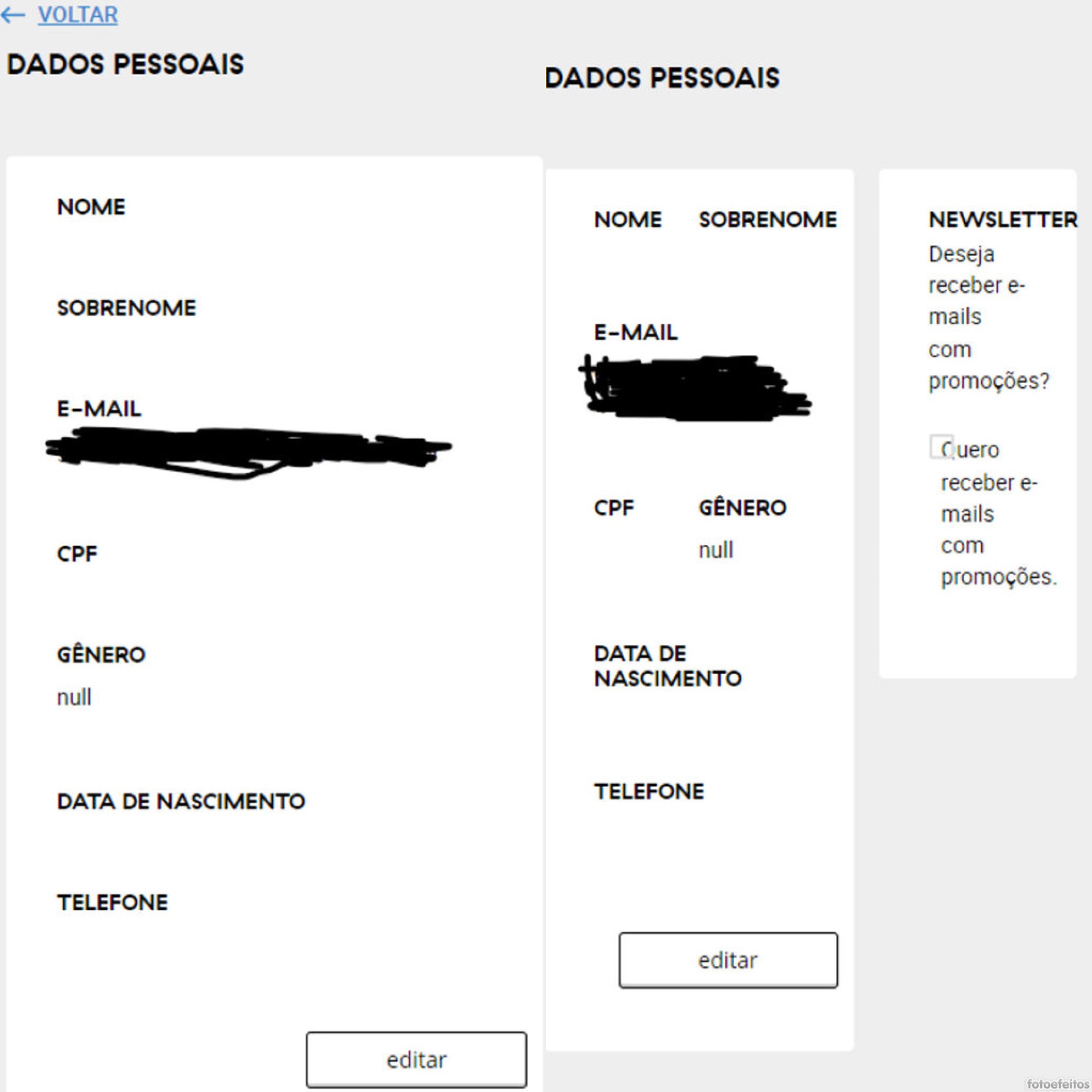
When the customer opens the account details, null appears in the gender field.
On phones with screens between 380 and 720 pixels, the layout breaks — the back button disappears and the personal data and newsletter fields look off. Where can I change this?
In the first image, the layout is correct, with the back button visible and the personal data and newsletter fields stacked one below the other. But the null error is also present.
In the second image, the layout is broken, the back button disappears, and the two forms end up side by side.