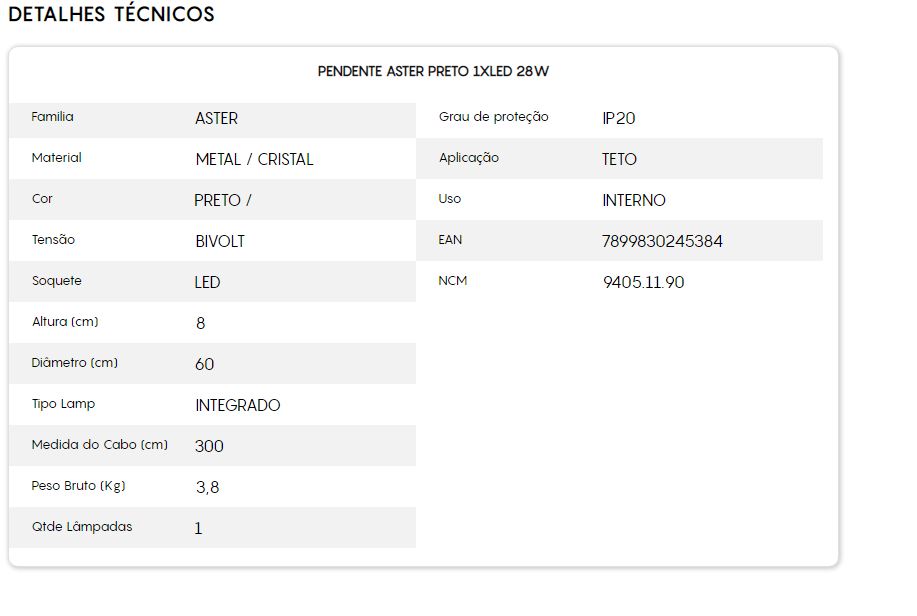
Can someone help me create a specification for different product categories, like the example in the photo
If there’s a step-by-step guide or a chat I could reach out to, that would be great — thanks for your attention!
@Julia-Silva I didn’t quite understand what you need to do exactly, can you explain better?
I want to add specifications to my products, like a “tech sheet”. I didn’t understand the V-tex articles, because I saw there are options like (radio, combo) and so on.
I want to add a specification to all my products similar to the one in the photo above.
Ahhh yes! Now I get it!
The first thing you need to know is whether this specification needs to be at the product level or at the SKU level.
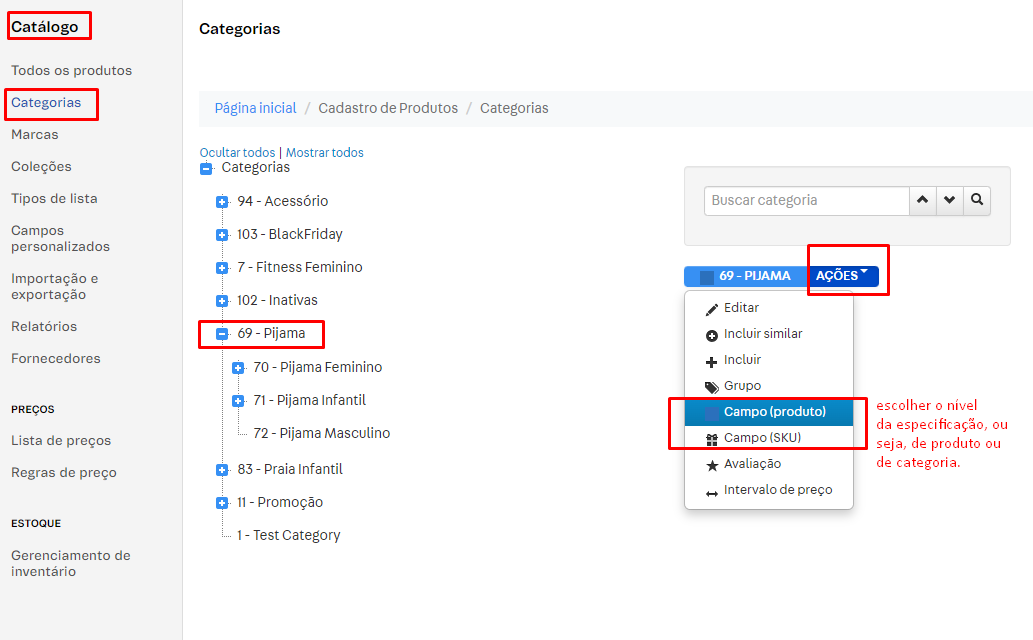
Once you’ve decided, you need to go to the Catalog Module > Categories
After that, choose the category where the products are that you need to create specifications for, and on the right-hand side click on Actions, as shown in the image below:
Once that’s done, you’ll choose between a product-level or SKU-level specification. After making your choice, on the next screen you’ll create a new field — which, in the case of your image example, could be: Family, Material, Color, Voltage, etc.
As for the field type — Radio, Combo, Text, etc. — here’s the breakdown:
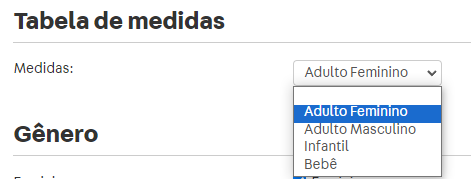
The Combo field appears as a dropdown box where you can select a single value, as shown below:
The Radio type field is when you have a list of values and can only choose one by selecting the desired option:

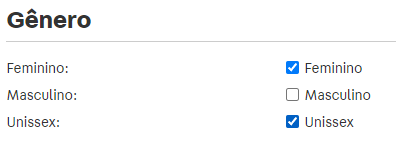
The Checkbox field is when you have multiple values and can select more than one at the same time:
The Text field is when you don’t have values to choose from and just want to fill in some information:

For all fields where you want to select an option, you need to create values for them (which will be the options you’ll have to choose from):
Once you’ve created the fields and their respective values, all you need to do is fill in each product or SKU (if it’s a SKU-level specification) with the relevant values.
Just keep in mind that for this information to be displayed as a tech sheet on your frontend, you’ll need to check with your agency whether your frontend already supports this or if a customization will be needed to display it.
I hope this helped clear things up a bit.
Big hug and great work!
Thank you so much Nat, it helped a lotttt!
How great @Julia-Silva ! 
Happy to help! Take care and have a wonderful day!
I think the only point to keep in mind is anticipating all the data on the front end and responsiveness.
Just adding to the information that @nat already shared here, I recently published a topic on this subject in the following location:
It includes examples of what the combo and radio field types look like, and which ones apply to products and which apply to SKUs.
Karina Mota
Field Software Engineer | VTEX