input.checkbox/radiogroup setup in the contact us form

Hello everyone, I hope you’re all doing well!

We currently have a form in our store built on the Storefront with VTEX IO, connected to Master Data. We used to use a standard “Subject” for all entries, but a need arose to route requests to different departments within the E-commerce: Sales and After-Sales.

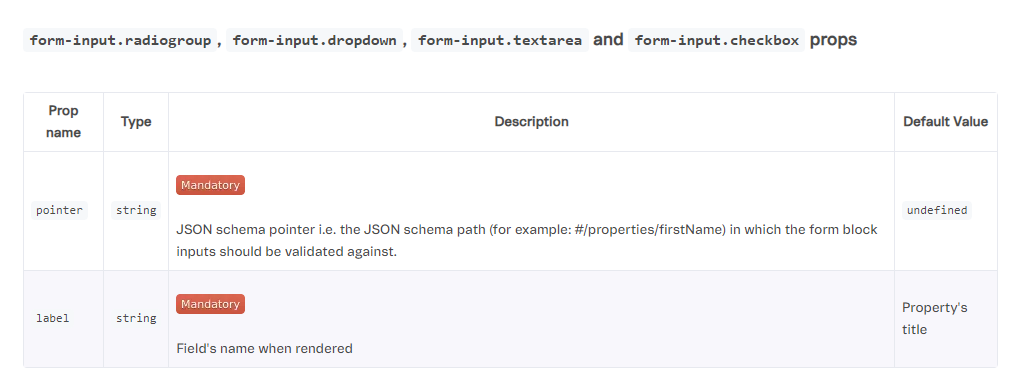
I make basic changes to the CustomApps and Storefront of our store — things within my level of knowledge that I can usually find solutions for here in the community and in the VTEX documentation. While going through the documentation on forms ( Store Form<!-- --> by <!-- -->vtex ), I noticed there’s the option to add selection inputs, namely: form-input.radiogroup, form-input.dropdown, form-input.textarea, and form-input.checkbox.

I’m able to add and connect them to MasterData, but I couldn’t find anything about how to add the options I want to present to the customer — in this case “Sales” and “After-Sales”. Below is my current declaration of this component:

“form-input.radiogroup#fc-assunto”: {
“props”: {
“pointer”: “#/properties/assunto”,
“label”: “Minha solicitação é sobre:”
}
},

Thank you for your attention to this topic.
Through a ticket, I was able to resolve this issue. I’m sharing the answer here for anyone who might have the same question in the future:

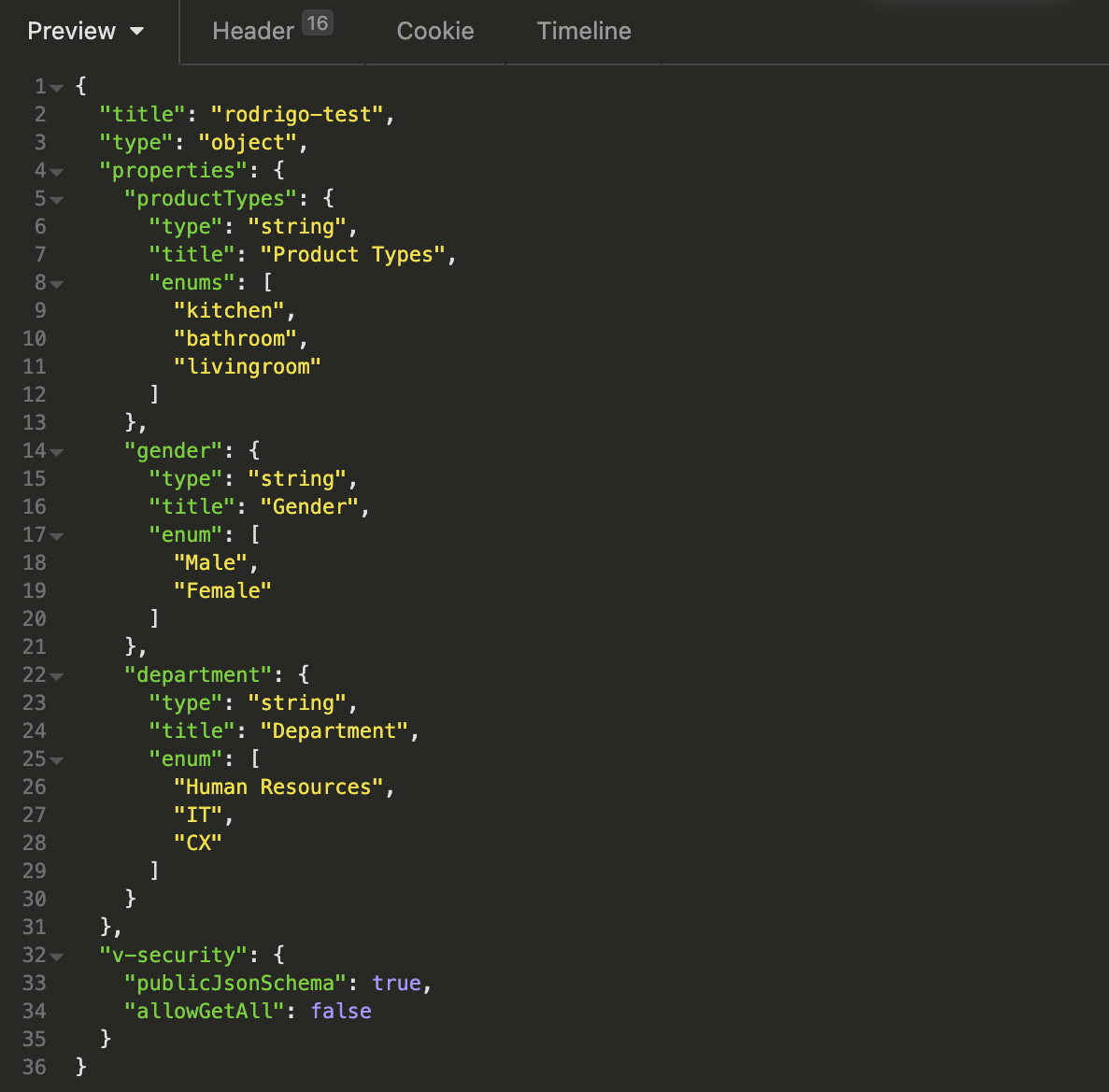
The configuration for both properties is similar. To create this list, you must first go to master data and create the information you want to add to the fields, as shown in the example below:

Then, simply make the references in the app itself, as shown in the code below:

{
 "store.home": {
 "blocks": [
 "form"
    ]
  },

 "form": {
 "props": {
 "entity": "rodrigotadeu",
 "schema": "rodrigo-test"
    },
 "children": [
 "form-input.dropdown#test",
 "form-input.dropdown#test2"
    ]
  },

 "form-input.dropdown#test": {
 "props": {
 "pointer": "#/properties/productTypes",
 "label": "Product Types"
    }
  },

 "form-input.dropdown#test2": {
 "props": {
 "pointer": "#/properties/gender",
 "label": "Genders"
    }
  }
}

The “entity” and “schema” properties should match the ones you created in master data, and the “pointer” should be the relative path to the information that was created to be displayed, as referenced in the Help documentation: