As per our documentation on the subject, the Conversation Tracker is one of the core tools of VTEX’s OMS (Order Management System) module — a feature that simultaneously encrypts the customer’s email within an order (generating a mask/alias email in the process) and saves all subsequent communications made to this alias in the order’s interaction logs. This is an essential security tool because it not only protects the customer’s real email address, but also gives us visibility into cases like this one, where external communications are sent to them.
By default, every VTEX store has email encryption configured as hard. This means that no details of the original email are retained in the mask, and the only place where the email can be seen is on the order page within the Admin. In the example below, we can see how this appears in the Admin:
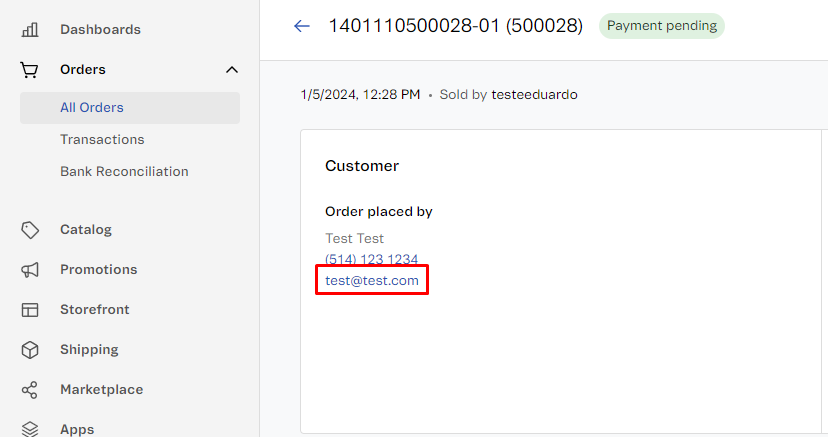
By comparison, in external tools — including APIs — emails are displayed in the following format:
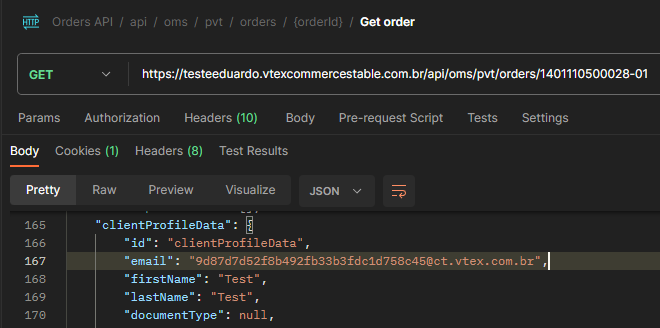
This means that in a potential attack scenario, where an unauthorized actor gains access to order information (something that can happen if an application key is misused or inappropriately disclosed), they will not have access to the customer’s email address.
Furthermore, any communication made using this email is logged directly on the order. In the example below, I used the email mask above to send a test message:
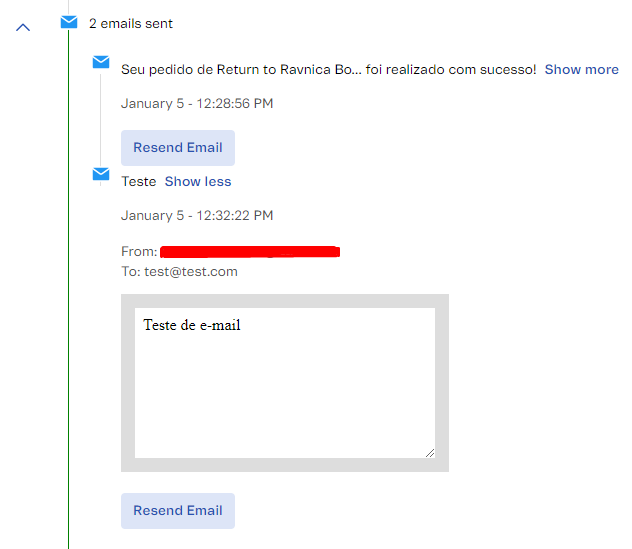
This is particularly important for stores that use external integrations and/or multiple partners in their order management, with Conversation Tracker serving to consolidate all communications made for each case and, due to the expiration rule (each mask lasts only 2 months), allowing the end customer to be notified of updates without leaving a broad digital footprint.
Eduardo Luciano
Field Software Engineer | VTEX