This post is based on information published in the official documentation, which can be found in the VTEX Helper.
An order placed with a boleto involves the cancellation of three items, which can cause some confusion. So, before we get into the timelines for each one, let’s define these three concepts separately.
Boleto expiration period
The boleto expiration period is the deadline after which the boleto will no longer be accepted for payment. For some gateway affiliations, this period can be configured in the Payments tab in the Admin, as shown in the image below.
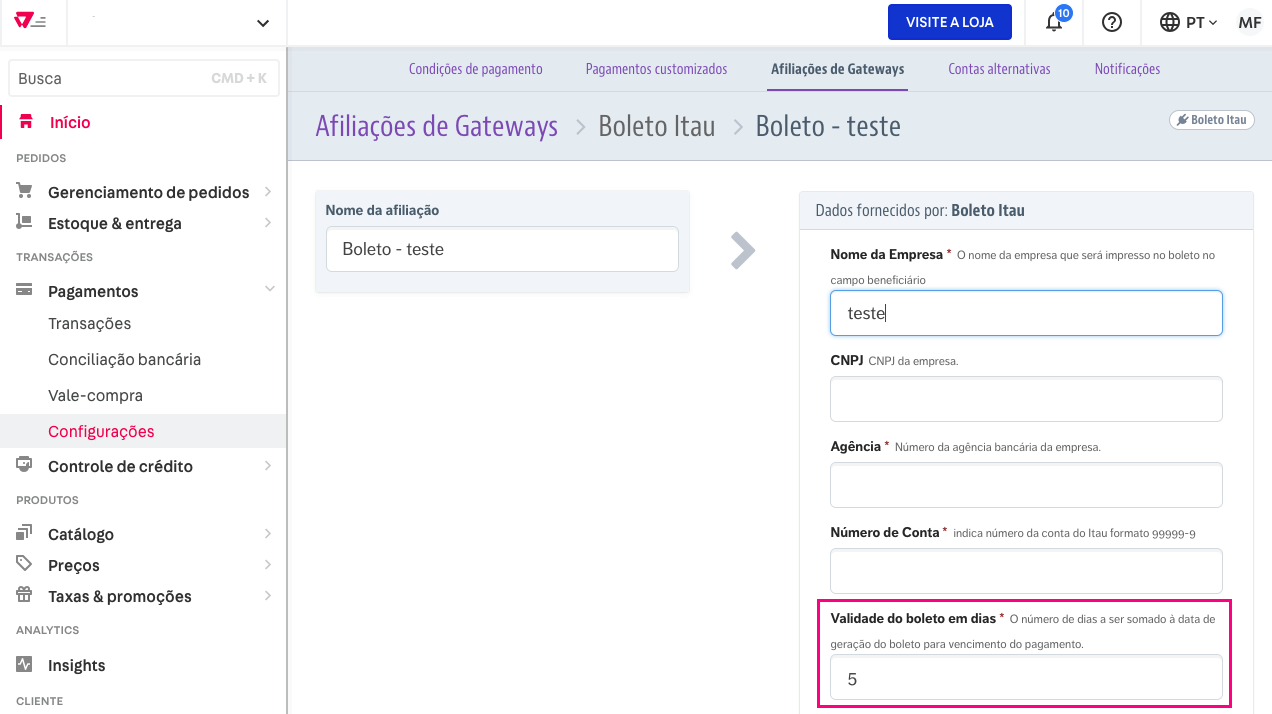
Cancellation period for a registered boleto
There are two types of boletos: those whose payment status VTEX can verify via a URL, and those for which this verification is not performed.
This difference comes down to the stance of each bank. Some financial institutions provide VTEX with the endpoint needed for this verification, while others have not yet implemented this type of solution.
For those banks, cancellation works as follows: there is a time window between the moment the customer completes the purchase and the moment they actually pay the boleto. During this period, VTEX makes multiple verification calls to the bank. This process lasts, on average, seven calendar days.
If the customer does not make the payment during this period, the boleto is canceled.
It’s worth noting that the number of attempts is calculated based on the value sent by the payment gateway in the delayToCancel field in the transaction request response, as described in the Create Payment documentation. In other words, this field cannot be changed by the customer or directly on the VTEX platform — it must be adjusted by the payment connector, if needed.

The value sent in the field is divided by 86,400 (seconds in a day). If the result is greater than 0, it means the delayToCancel is longer than one day. In that case, the number of retry attempts will be 6 per day.
If the result of the division equals 0, it means the delayToCancel allows a cancellation window of one day or less, so in that case, 1 retry attempt will be made per hour.
In short, if the delayToCancel field is greater than 24 hours (86,400 seconds), 6 attempts will be made per day. If it’s less, one attempt will be made per hour.
If this field is sent as null, 336 attempts will be made to approve this type of payment.
Cancellation period for the product reservation
Even if the order remains in a pending payment status, the reservation on the purchased products is released so that this flow doesn’t affect the store’s operations. To that end, the reservation release period is calculated as follows:
The inventory reservation expiration date is the boleto expiration date + four, five, or six calendar days, following the rules below:
- Four days when the boleto expiration date falls on a Sunday, Monday, or Tuesday;
- Five days when the boleto expiration date falls on a Wednesday, Thursday, or Friday;
- Six days when the boleto expiration date falls on a Saturday.
For more information on how reservations work, click here.
Order cancellation period
The order is canceled 20 days after the period above — that is, 20 days + the reservation cancellation period. Using the image above as an example, an order placed on a Thursday that was not paid would be canceled 30 days after the completion date: Boleto cancellation period = 5 days. Reservation expiration period = 5 + 5 = 10 days. Order cancellation period = 20 + 10 = 30 days. This timeframe of approximately one month allows the purchase to be recovered with the customer, using the same order to complete the process if they choose to do so.