This topic aims to foster knowledge in our community regarding the order flow on our platform. Scenarios like this are recurring, and through this topic we want to clarify what reasons can lead to this situation.
This scenario can also occur in cases like: The order has the status “Invoiced” in the franchise account, but this is not reflected in the main account, where the order gets stuck at the status “Checking invoice”.
We have documentation in our Help center that covers this subject:
Basically, this scenario typically occurs in the following cases:
- When the invoiced amount differs from the total order value, i.e., partial invoicing;
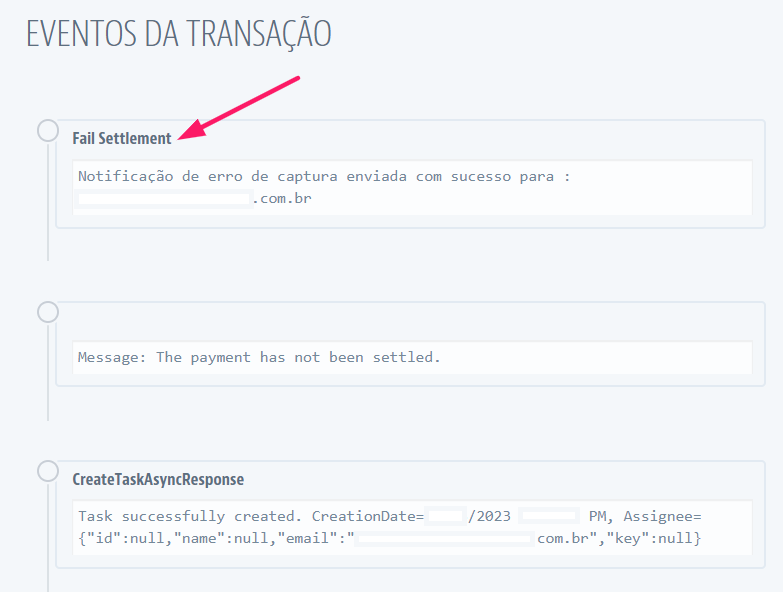
- Payment with some capture error.
In cases where the invoice was inserted with the full order value, the order will move to the Invoiced status in the Franchise Account; however, the order status will only be updated in the Marketplace once we receive the notification that the transaction has been captured and it advances to the “Finished” status (usually when this happens, it gets stuck at the “Approved” status):
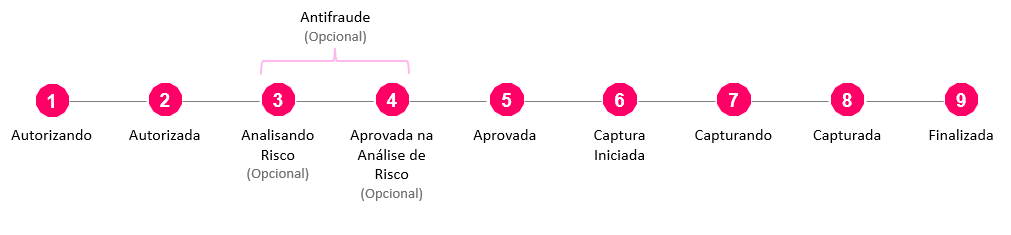
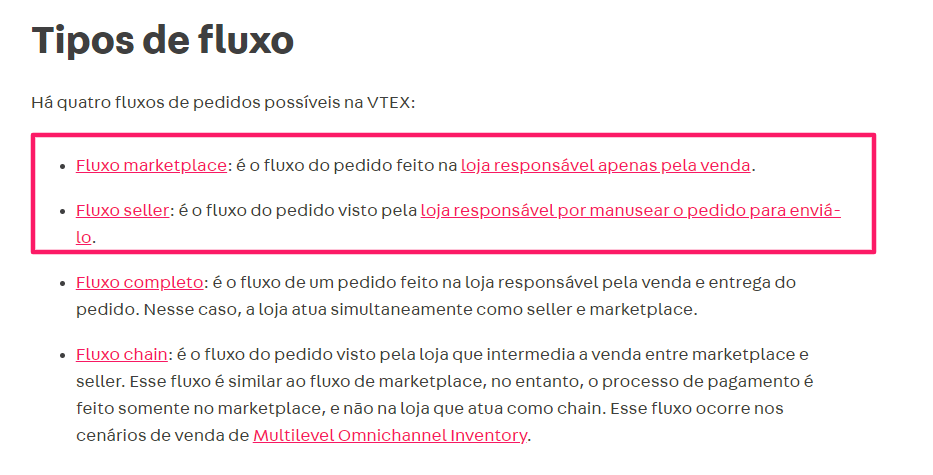
This happens because the Seller is responsible for the fullfilment of the order — that is, for its delivery — so it only requires payment approval (step 5 of the transaction flow) to proceed with order handling and delivery, regardless of whether the amount has been captured or not.
The Marketplace, on the other hand, requires the amount to be captured (step 8 of the transaction flow) for the order to be considered finalized.
Checking our documentation Order flow and status | VTEX Help Center, we have the following flow types described:
When checking the transaction logs for the order in question, the following scenario is commonly observed:
If you still have any questions about the subject, feel free to ask here! 
Karina Mota
Field Software Engineer | VTEX