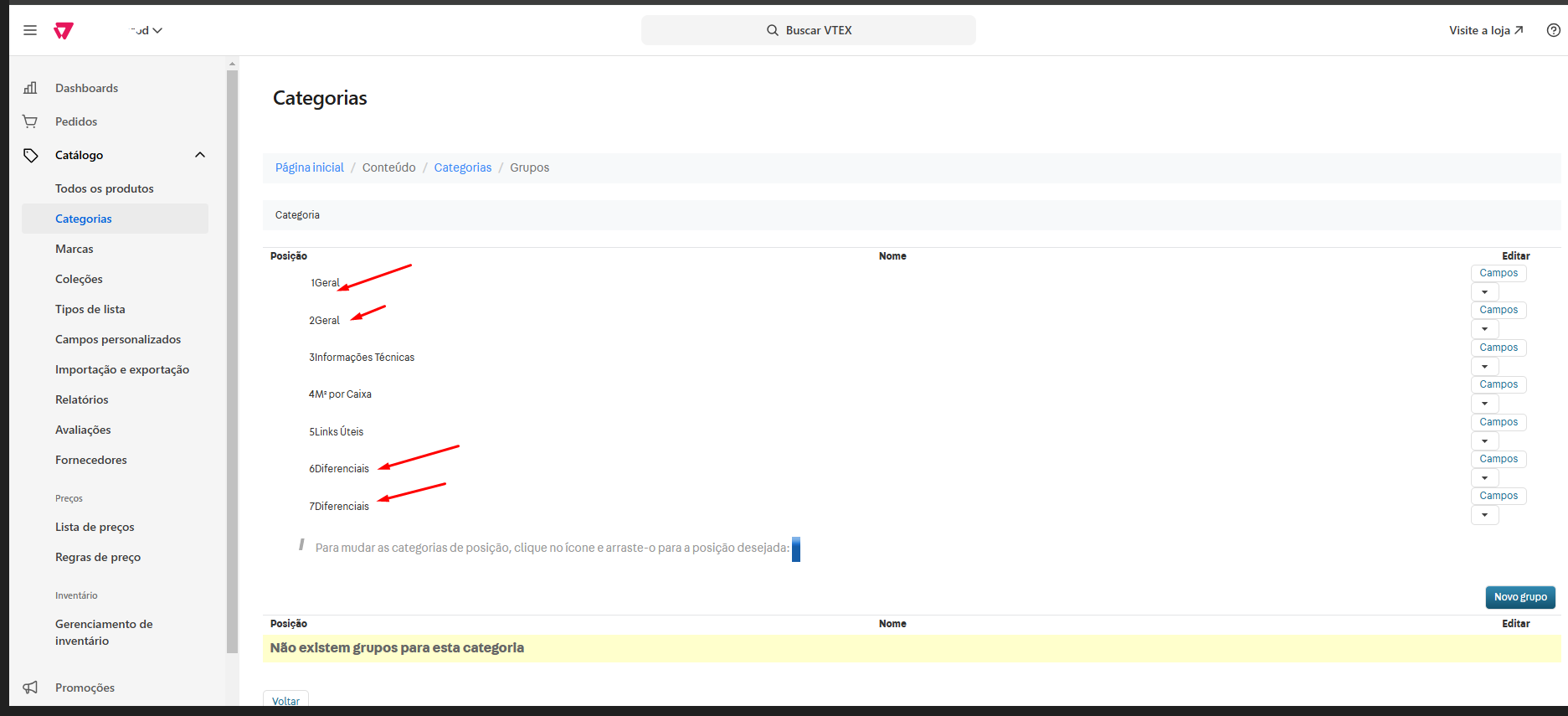
Hello, everyone.
I’m trying to edit, rename, or delete a duplicated specification group, but I can’t find the option. Could someone please guide me?
@thaliaalvesf Hey, how are you?
From what I was able to check, it’s not possible to delete a specification group within VTEX. This becomes clear when looking at the platform’s API guide, which only offers options for creating, querying, and updating — with no mention of a dedicated API for deletion. Additionally, within the platform’s interface, there’s no button or functionality that allows you to delete specification groups either. For that reason, I believe this action is simply not supported by VTEX.
All good!
Thanks for getting back to me, Nat. I managed to talk to the dev and he was able to fix it. 
Perfect! Good job!
Hello, how are you?
There is a way to delete and edit Groups in VTEX through the accessed URL.
When accessing the groups section in the VTEX admin panel, you’ll be directed to a link:
www.mysite.myvtex.com/admin/Site/Grupo.aspx?IdCategoria=0
Here we need to delete part of that URL, in this case remove: ?IdCategoria=0
Leaving it like this:
www.mysite.myvtex.com/admin/Site/Grupo.aspx
Once you access the URL this way, the fields to edit and delete will appear.
NOTE: Groups that are already being used in a product cannot be deleted, ok?
I hope this helps, cheers.