data: { type: 'https://tools.ietf.org/html/rfc7231#section-6.5.3', title: 'Forbidden', status: 403, traceId: '00-65baba822db58bb995d3640415691207-42327a34efc9403a-00', reason: 'User does not have access to the resources [OMSViewer]' }
The error indicates that you don’t have permission to use this resource in the API.
First, you need to be granted permission and then test the request.
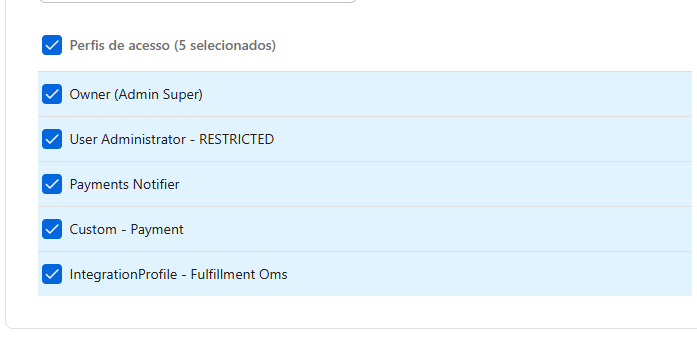
You may have a custom profile. You’ll need to ask the Master user of the store account — the one with the Admin Super RESTRICTED profile — to grant you this permission.
Good morning, I’m having the same issue, I’ve already tried various profile settings, but they all return the same error.
Is there a delay for a profile change in the lightweight API to take effect?
I’ve already tried all of these options and nothing works: