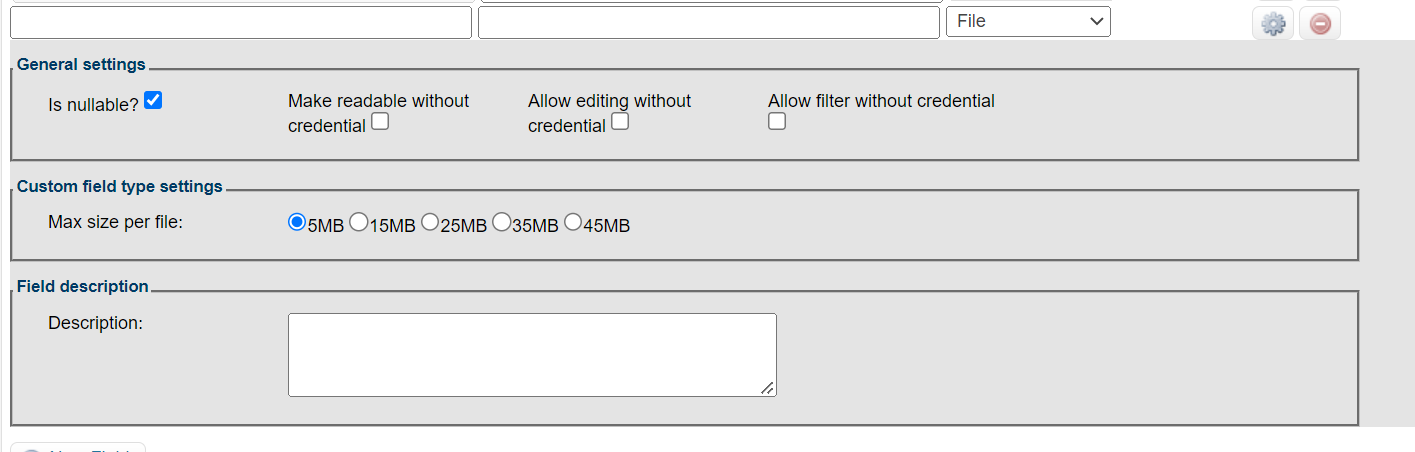
Hey everyone, how’s it going?
We’re developing an e-commerce site using the Store Theme (VTEX IO) and we’re building some contact form fields.
We’ve created a few integrations with MasterData and are trying as much as possible to stay within the Blocks structure, since we have Ecomm operators who can edit these items via the Site Editor or directly through the DS/MD.
We created 3 forms, but one of them requires a field for uploading a PDF file. We approached it the same way as the other forms in MasterData — creating an additional field of type File and setting up the proper API integrations (/api/dataentities/{{entity}}/schemas and /api/dataentities/{{entity}}/schemas/{{eName}}) — however, this File-type field doesn’t show up in the GET of the JSON schema, and I also can’t get the field to render in the blocks using form-input.upload.
Is there a different approach for this type of file that doesn’t stray too far from the Blocks structure? Or is it really necessary to submit it via API? Is it possible to create just the file input as a React component and inject it inside the form wrapper blocks?
Thanks in advance.