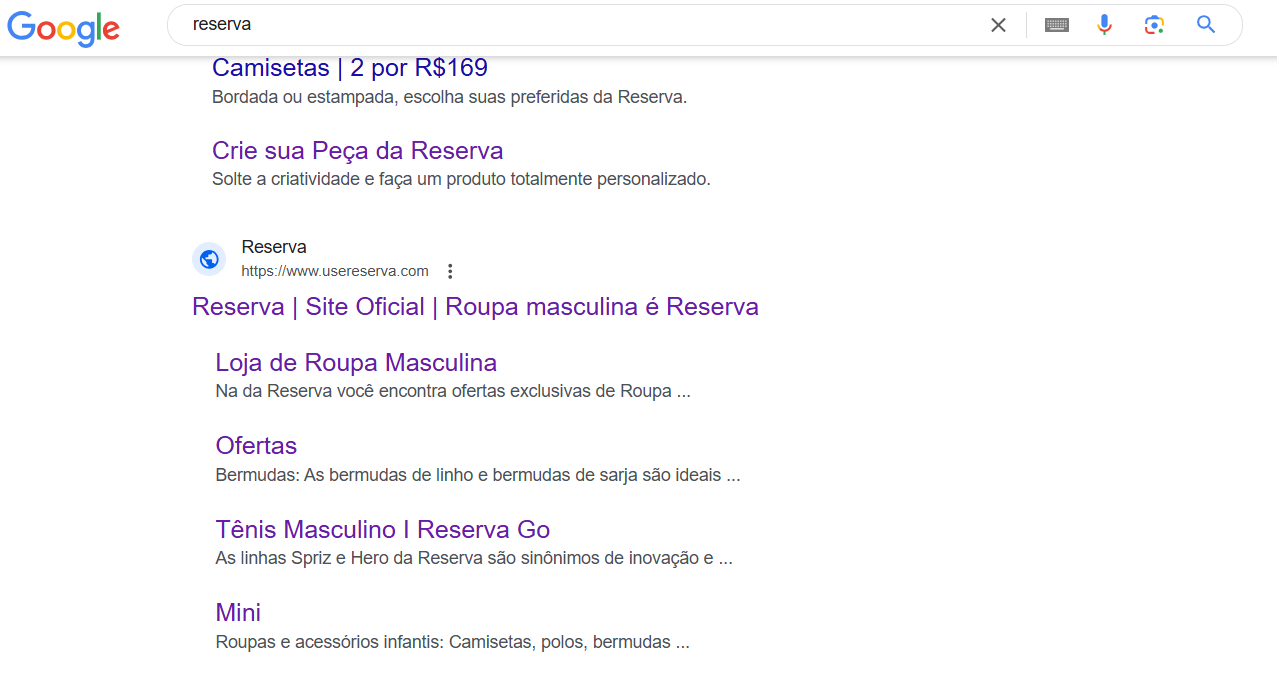
The site used to display the favicon and meta description normally, but over the last 10 days Google has stopped showing them.
We made changes to the meta description with new text and updated the favicon to .svg format at a 1:1 ratio (192x192). We also requested re-indexing via Google Search Console for a fresh crawl, but with no effect.
I tested the display of these fields using online tools and they show up correctly there — it’s “only” on Google that they don’t.
Hey @FelipeAndrade, how’s it going?
Is the store on VTEX IO or CMS?
In IO there are different places where you can add it. Have you tried adding it in these locations?
The favicon normally needs a relationship, such as: “icon”, “shortcut icon”, “apple-touch-icon” and be in image/png format.
Also, the suggested size is 180x180. See below:
Configuring SEO in your Store Framework store
If it’s CMS
The other way is to place the favicon in assets and call it in the head. The meta description would be here https://ACCOUNT.myvtex.com/admin/Site/ConfigSEOContents.aspx
LAST RESORT
Have you tried using the base reindexing feature? I know it’s not a common approach for this type of situation, but I’d suggest it as a last resort, since you’ve already tested all the other possibilities.
Hope these tips help you out.
Cheers,
Estevão.
Hey @estevao_santos. Everything with you?
It’s VTEX IO.
The app was built by the tech team, I’ll check with them on what locations were used.
Regarding the image, we were using a png (when the issue occurred) and switched to .svg at a 1:1 ratio (192x192).
As for the name, it’s /arquivos/favicon.svg
We didn’t do any kind of base reindexing treatment, I’ll look into that as well. The reindexing we did was through Search Console.
Thanks for the responses, I’ll forward this internally and figure out what can be done.