Good afternoon everyone!
I’m having an issue. I’m trying to develop a PIX payment feature, but during development I discovered that orders paid via PIX are not created in VTEX until they are actually paid — they are only generated after being marked as PAID.
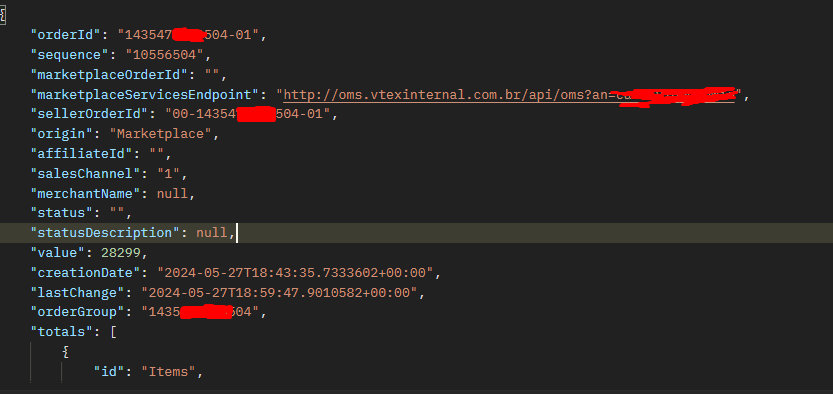
However, I managed to configure a webhook to receive all orders and noticed that I received a trigger when the order was marked as CANCELLED, and I can see that an OrderID was generated, as shown in the image below:
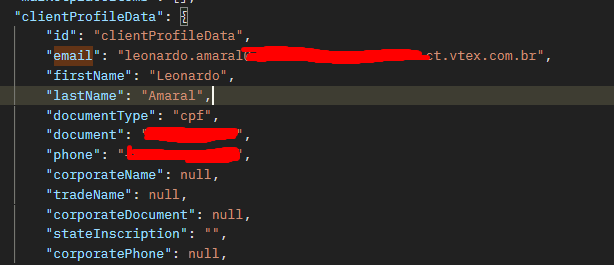
Scrolling down a bit further, I noticed that my data was assigned to this order, as shown in the screenshot below:
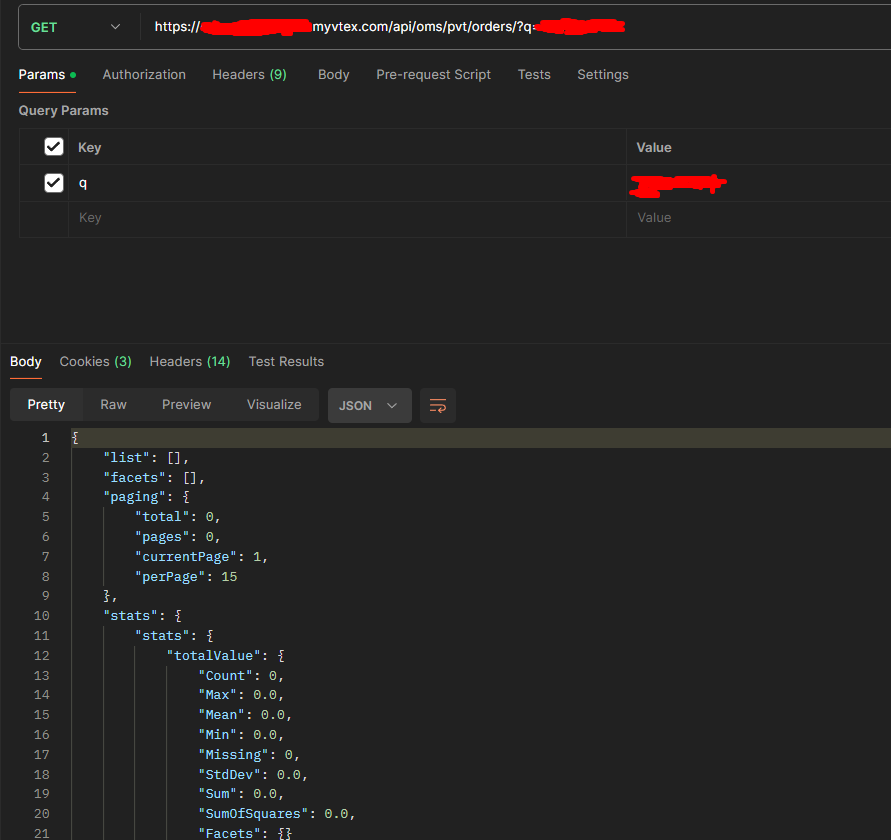
However, when I try to search using my document or email, VTEX is not returning any orders, as shown in the image below:
How can I fix this?
Hey @leoamaral, how’s it going?
Try using the List Orders endpoint with the incompleteOrders=true parameter
https://{{accountName}}.{{environment}}.com.br/api/oms/pvt/orders/?q=emailusuario@gmail.com&incompleteOrders=true
Whenever an order isn’t listed in All Orders without any filters, it may be marked as incomplete.
Como funcionam os pedidos incompletos
Good morning, @andremiani
What a fantastic query! Thanks for sharing.
In my case, I would need the webhook to be active to notify me of this type of situation.
Note 1: cases where when the pix is not paid, receive an order created webhook.
Note 2: I just created another order and tried to look it up using the query you sent me — it only shows orders after they are canceled.
Hi @leoamaral,
Incomplete orders have a null status, but I’ve never tested whether it’s possible to capture these status=null orders via Order Hooks or Order Feed. It would need to be tested.
What problem / feature are you working on?
Hi @andremiani
I’m working on a feature where: at the moment an order is generated with Pix as the payment method, I can send the Pix code to the end user, but I’m only receiving hooks when Pix orders are considered as paid.
What should happen is: receive an order created hook even if the order hasn’t been paid yet.
Hey @leoamaral
Did you manage to find a way to send the pix data to the user?
Hey @Jonassouza Yes!
Generate an orderform in the standard way and make the following requests to generate the PIX code
curl --location --globoff 'https://{{base_url}}.myvtex.com/api/checkout/pub/orderForm/{{OrderForm}}/transaction' \
--header 'X-Vtex-Api-Apptoken;' \
--header 'X-Vtex-Api-Appkey;' \
--header 'Content-Type: application/json' \
--data '{
    "referenceId": "{{orderForm}}",
    "savePersonalData": false,
    "optinNewsLetter": false,
    "value": {{value}},
    "referenceValue": {{value}},
    "interestValue": 0
}'
curl --location --globoff 'https://{{base_url}}.vtexpayments.com.br/api/pub/transactions/{{transactionId}}/payments?orderId={{orderId}}' \
--header 'X-Vtex-Api-Apptoken;' \
--header 'X-Vtex-Api-Appkey;' \
--header 'Content-Type: application/json' \
--data '[
    {
        "paymentSystem": 125,
        "installments": 1,
        "installmentsInterestRate": 0,
        "installmentsValue": {{value}},
        "value": {{value}},
        "referenceValue": {{value}},
        "id": "{{merchantId}}",
        "interestRate": 0,
        "installmentValue": {{value}},
        "transaction": {
            "id": "{{transactionId}}",
            "merchantName": "{{merchantName}}"
        },
        "currencyCode": "BRL",
        "originalPaymentIndex": 0
    }
]'
curl --location --globoff --request POST 'https://{{base_url}}.myvtex.com/api/checkout/pub/gatewayCallback/{{orderId}}' \
--header 'X-Vtex-Api-Apptoken;' \
--header 'X-Vtex-Api-Appkey;'
Hope this helps