Good morning everyone,
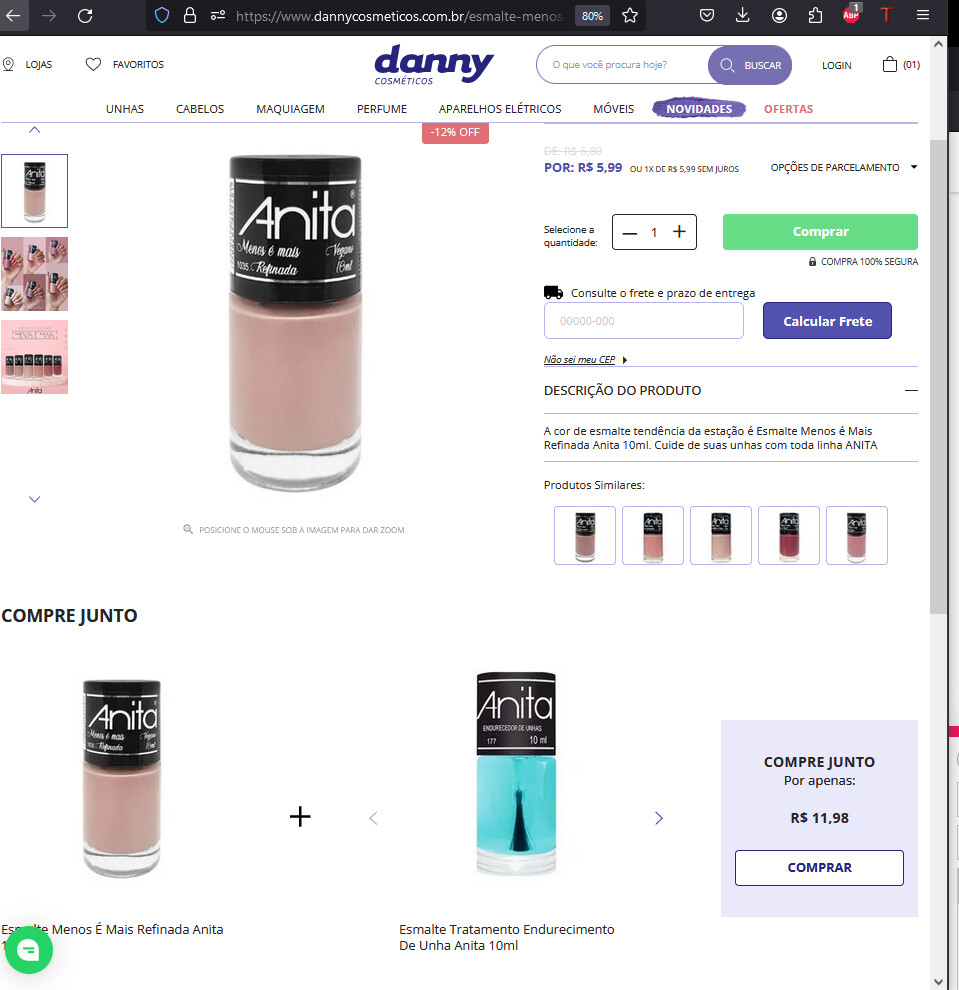
I’m reaching out to clarify a question related to the products API. I’d like to know if there is any field available in the API that allows me to pass information about associated products. For example, when accessing a specific product on our site for purchase, I noticed that the “Buy Together” section displays random products. However, I’d like it to show more accurately related products instead.
For example, when selecting a bottle of hydrogen peroxide, I’d like the associated products section to display items such as cotton and nail polish, providing a more coherent experience for our customers.
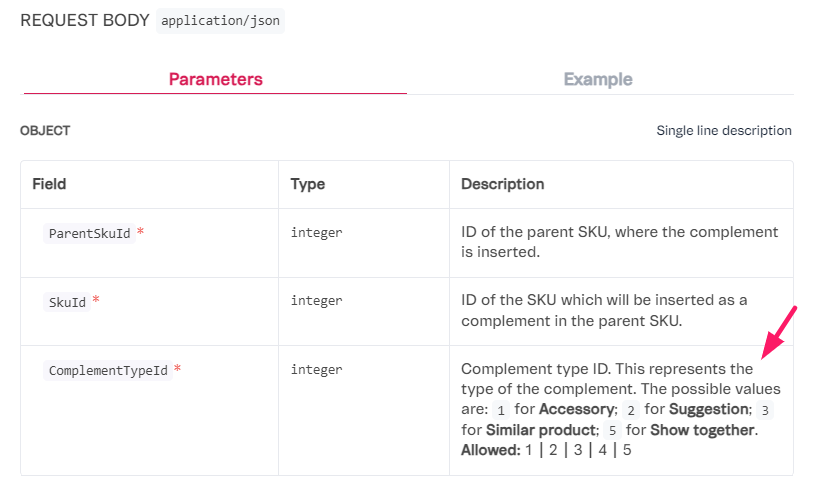
I noticed that when exporting products on the platform, there is a field called “Show_Together” — is that the field I should use to pass the associated products? If so, which API should I use?
I appreciate your attention in advance and look forward to your guidance on how to proceed.
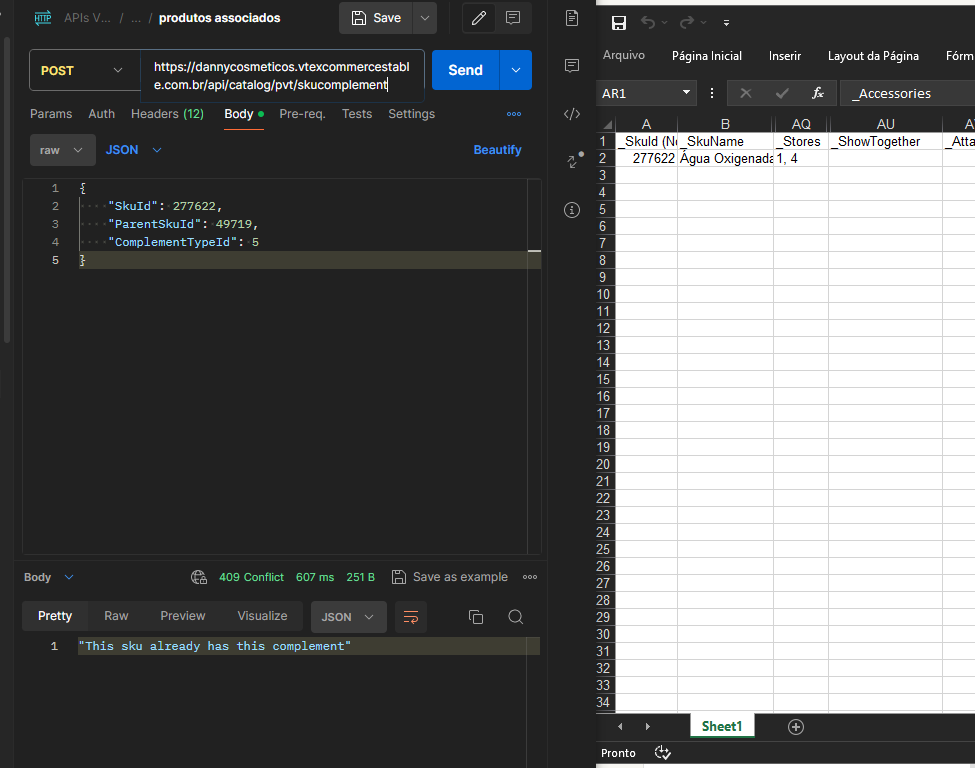
However, I noticed that product 277622 (hydrogen peroxide) did not associate with product 49719 (cotton). It didn’t show up on the site and when I extracted the product data from VTEX, the _ShowTogether row did not include product 49719.
The post returned OK but it wasn’t created in ShowTogether.
Attachment:
Good afternoon @andremiani, all good and you?
I made the change and set the post to 5, but it still hasn’t shown up, I’ll leave my post below as I sent it.
Good morning André, how’s it going? So it didn’t work out — I just tried it through Postman to check, and it even returns that it was already inserted. But in the export spreadsheet the associated product still doesn’t show up. On the site the product isn’t showing up either.
Check out the screenshot.
Hey @HigorDev, did you manage to somehow display products in the “buy together” feature? I have the same component installed in my store and we’ve never been able to edit those products.