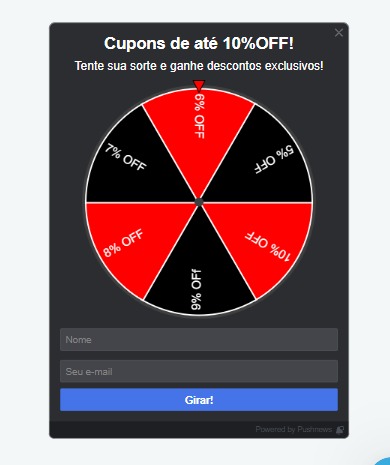
Hello, good morning!
We’re going to use the discount wheel from the Pushnews platform, but I need to create a valid URL within my store for each discount percentage.
Example:
www.acalhomecenter.com.br/?id=10_OFF&text=10%
www.acalhomecenter.com.br/?id=20_OFF&text=20%
www.acalhomecenter.com.br/?id=30_OFF&text=30%
URL to claim the prize:
In this case there will be 6 URLs I need to create.
How do I create these URLs within my website?
I would create a specific UTM for each Promo and link each UTM to a promotion — I think it would be really cool and easy to manage!
Good morning!
Sergio, great idea — do you know if I can create this URL within my store?
Good morning @jorleestevam
To create this type of promotion, there’s a really great tutorial from VTEX explaining it
https://help.vtex.com/pt/tutorial/o-que-sao-utm-source-utm-campaign-e-utm-medium--2wTz7QJ8KUG6skGAoAQuii
Feel free to reach out if you have any questions.
Italo Leme
Co-Founding Partner | Branchstack
Hey @jorleestevam, how’s it going?
Adding to what the community has already mentioned, after creating a coupon associated with a campaign, you just need to share your site’s URL with the utm_source and utm_campaign parameters to the desired users so that the corresponding coupon is automatically applied to the orderForm, without needing to type in the coupon.
Example:
www.seusite.com.br/?utm_source=site&utm_medium=roleta&utm_campaign=promo10
Important: as long as you’re using the native BuyButton app, when a user clicks the BuyButton, all the necessary data is sent to Checkout along with the POST request, including the values for utm_source, utm_campaign, and utm_medium, so that you can later filter these orders in the VTEX OMS module.
If you’re using a custom BuyButton, I’d also recommend this guide that explains in detail how UTMs are used at checkout — it includes a section explaining how to manually attach UTM values to your orderForm so that this data is sent along with the order.