I followed the documentation to create a service and link it to a product, but it keeps returning this error.
Error reading the column “TEXTO SERVIÇO” from line 2. Error message: Index was outside the bounds of the array.
I followed the documentation to create a service and link it to a product, but it keeps returning this error.
Error reading the column “TEXTO SERVIÇO” from line 2. Error message: Index was outside the bounds of the array.
Hey @gabrieltelesc, how’s it going?
I think there might be something wrong with the name you entered in the Service Text column.
What type of service are you trying to register? If you’d like to share a screenshot of your spreadsheet here, we might be able to help you better 
Cheers!
Good morning @gabrieltelesc, how are you?
I’d like to share how I set up gift wrapping in my store — I think it might help you.
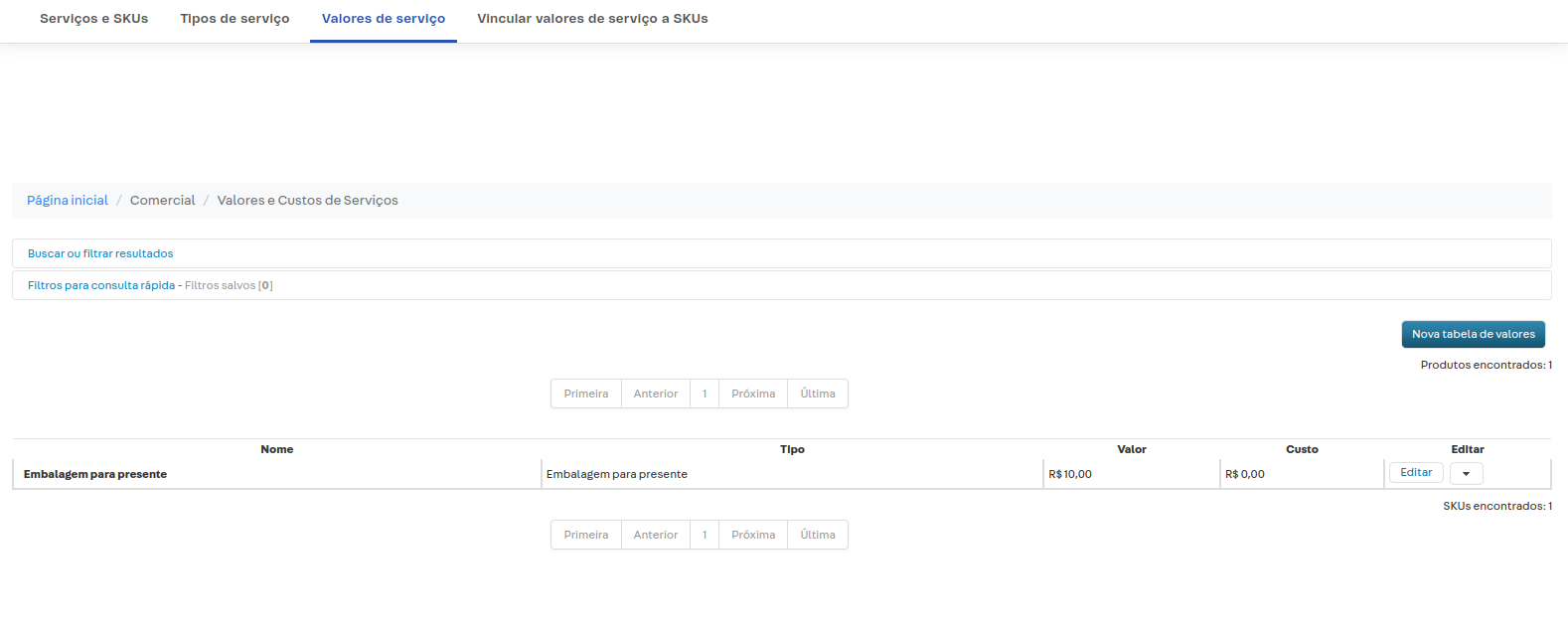
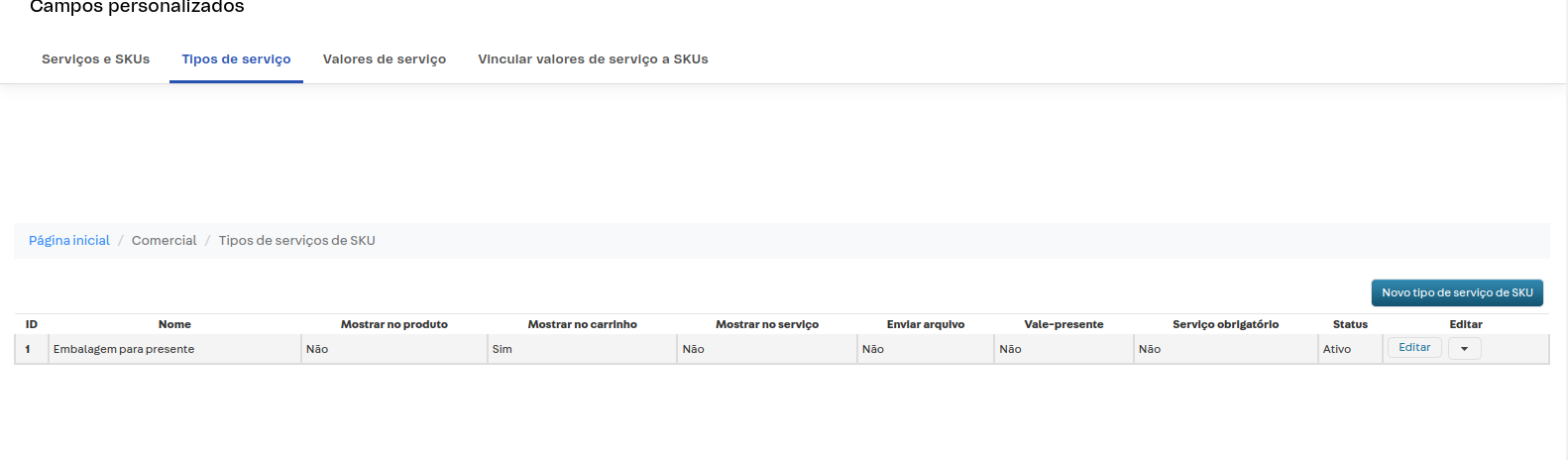
You’re right to create a service type and then a value. I did it the same way, as you can see below:

After creating both the type and the value, you need to link the value to its corresponding SKUs — and I think that’s where you’re running into the error, right? In the spreadsheet…
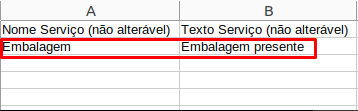
I’ll take a screenshot of how I filled mine out to see if it helps. Feel free to share yours too..
To put the spreadsheet together, I followed the instructions in this Help article: Linking Services to SKUs
Hope this helped!
Cheers!
Hi, these first two columns — what information did you fill them in with? I can see that the Service Name is different from the others.
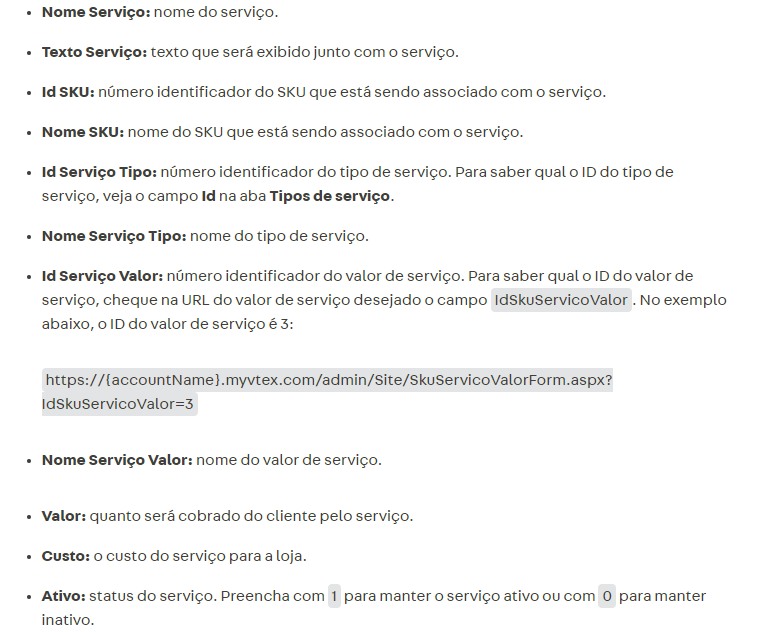
I based this on the information in the link with the documentation I shared with you in the response above:

@gabrieltelesc try filling in those two columns with “Gift wrapping”
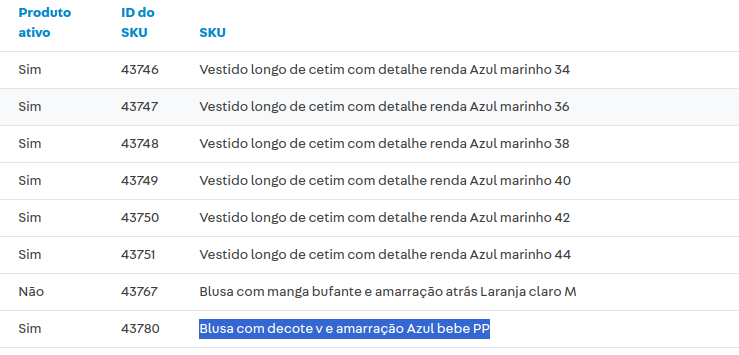
Another question, is your SKU name really “Vestido longo de cetim com detalhe renda Azul marinho 44”?
I filled it out according to the names I registered.
You need to follow this information:
In my case:
The service type I registered with the name: Gift Wrapping, so in the Service Type Name column (non-editable) I filled in Gift Wrapping.
The service name I registered with the name: Gift Wrap, so in the Service Value Name column I filled in Gift Wrap.
In the Service Name column (non-editable) I filled in the same name as the Value, and in Service Text I put the name I want to appear. It worked for me.
If you’re filling in all the columns with the correct associations according to the instructions above and the error still persists, I’d suggest opening a ticket so the support team can check if there’s something wrong with your account specifically.