Hey everyone, does anyone know how to fix this?
I’m trying to log in and I’m getting this error: “Multi-factor authentication is not allowed”
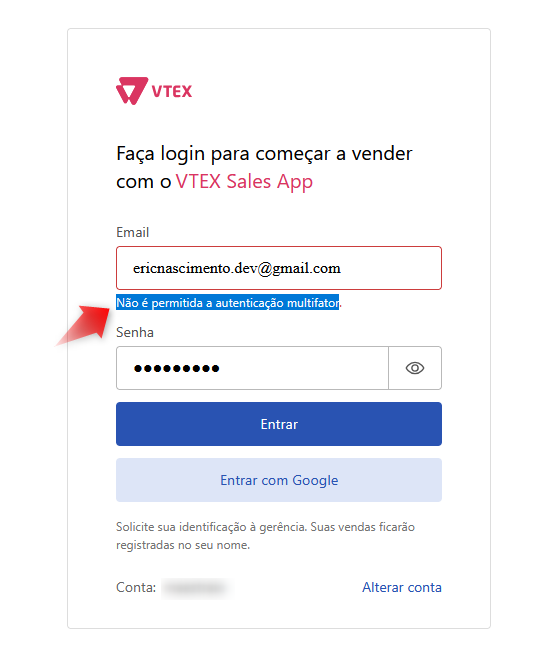
Solution
Use email addresses that are not yet registered in VTEX.
When creating a new user in a store linked to the Sales app, the email provided will automatically receive an invitation from the VTEX platform containing the link to access the Admin.
- Open the link sent by email.
- Create your access password directly in VTEX’s
/admin. - After setting up the password, go back to the App and log in normally using your email and password.
Technical note:
By default, VTEX automatically associates the new email with the INSTORE access profile, which may impact permissions or expected flows within the app.
For this reason, you cannot use the same email to log in to the app and to the admin with different access profiles.
Learn more: Gerenciar vendedores no VTEX Sales App