Orders using Pix as the payment method appear as paid in the payment gateway but show as canceled in VTEX
Before we analyze what happens in this type of case, it’s important to understand how the payment flow works within VTEX.
In this flow, VTEX acts in a completely passive manner — we only send authorization requests and wait for the connector to analyze the payment and return a response.
How does this process work? We have an article that covers it in detail, and it’s worth checking out:
As outlined in the documentation above, once the order is placed in your store, the transaction enters with a status of Authorizing, indicating that the process of sending information to the payment connector has begun. This is the stage at which VTEX sends the authorization request.
The connector is then responsible for analyzing and responding to us on whether the transaction should be authorized or not (status Approved or Denied).
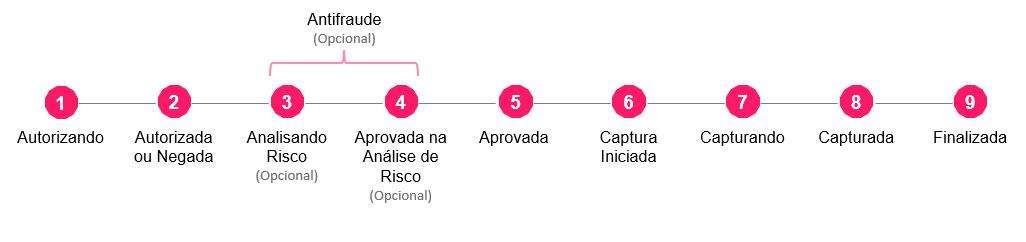
If the response returned is an Undefined status, it means exactly what the word suggests — the response is undefined. The gateway is not yet able to determine at that moment whether the payment should be approved or denied.
In these cases, VTEX initiates retry requests in order to obtain a definitive response from the gateway.
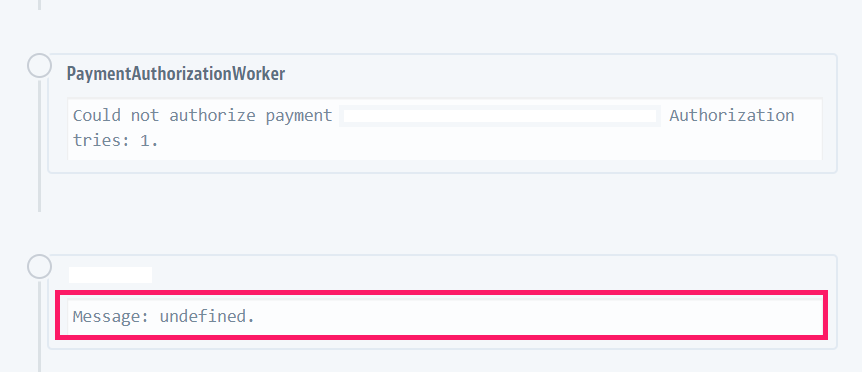
For Pix payments, transactions have a default maximum of 3 authorization attempts, made every 300 seconds — meaning the attempts will occur over 15 minutes, every 5 minutes, until all 3 attempts are exhausted or until the payment is approved or denied:

Note: This behavior for Pix is considered standard and differs from the behavior for authorizing orders that use boleto as the payment method.
If, after these 3 attempts — made once every 5 minutes, totaling the 15 minutes stipulated — the payment has not been approved, the order cancellation flow is triggered:
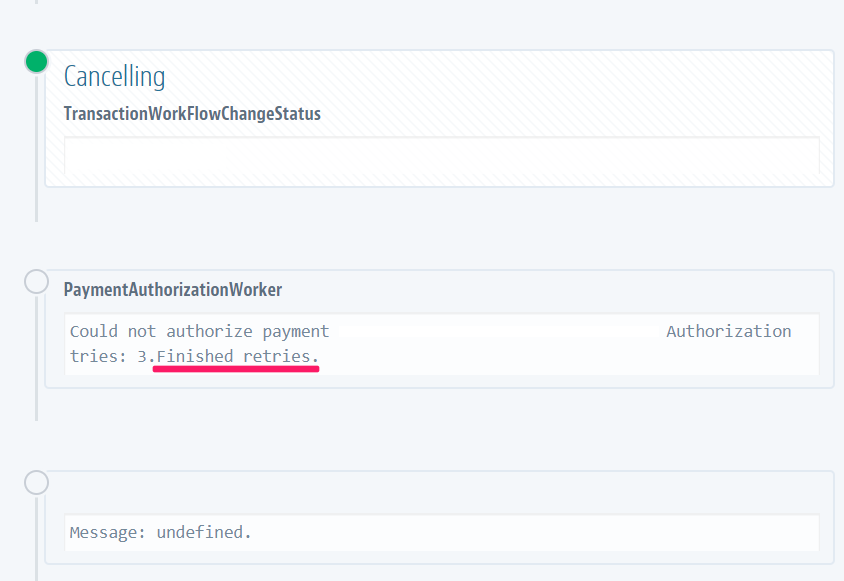
Therefore, after these attempts, the order cancellation flow is triggered. It’s important to emphasize that once a transaction’s cancellation flow has been triggered, there is no way to “uncancel” it.
It’s also worth noting that if the payment was actually made but this information was not sent to VTEX within the stipulated timeframe, it’s important to contact your payment connector so they can investigate what may have happened.
Recommendations:
Unfortunately, in these scenarios it is not possible to “uncancel” these orders. Here are some recommendations:
- Check with your partner what may have occurred, as VTEX is 100% passive when it comes to the payment flow — we only receive the notification from the partner and update the transaction status accordingly.
- To avoid further losses, one alternative is to refund the amount to the end customer and ask them to place the order again. There are ways to make this process simpler and less friction-heavy for the end customer, such as using the shareable cart feature. Here is the link to our documentation on this solution: Shareable Cart
Frequently Asked Questions:
What happens to orders using Pix as the payment method that are not paid?
A: They remain as incomplete. If you’d like more details about this type of order, simply refer to our documentation:
Is it possible to access information on these unpaid orders that appear as incomplete?
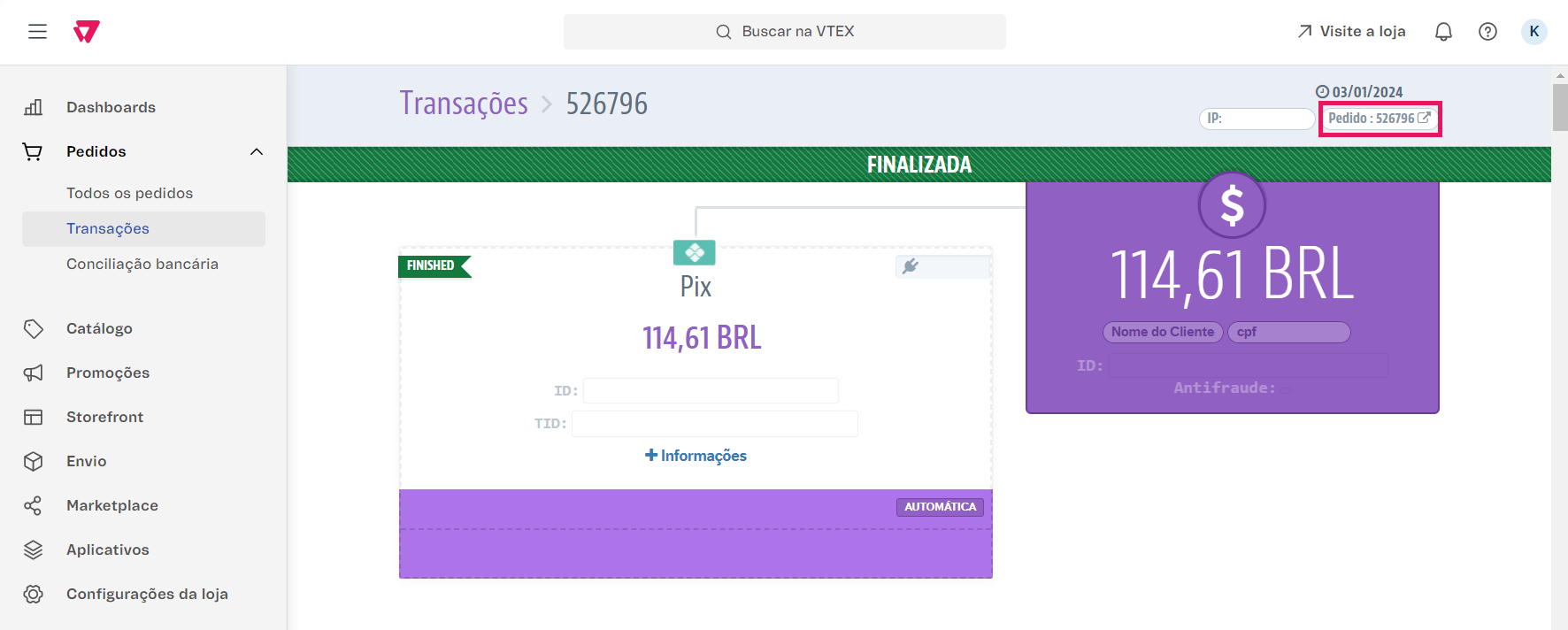
A: Yes, simply go to the transactions module and click on the desired order’s transaction:
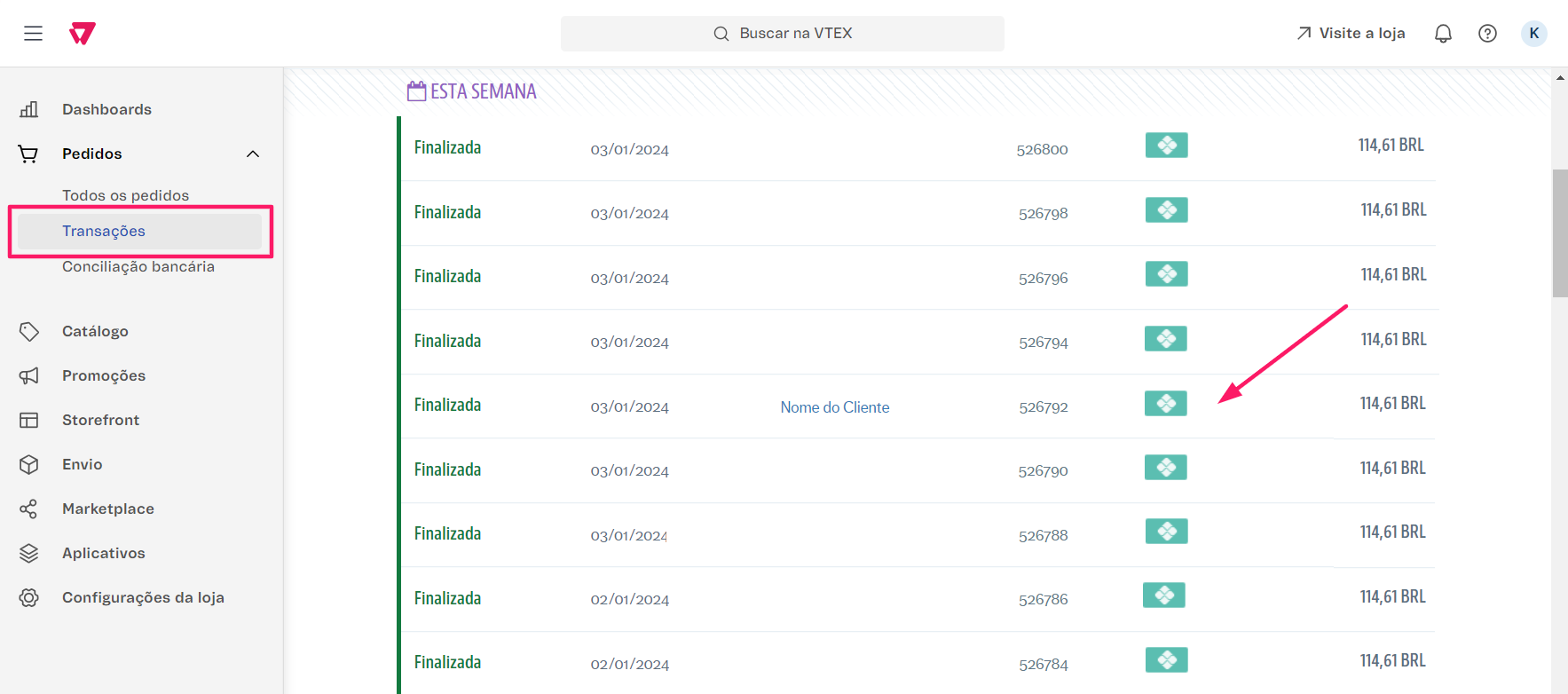
and then click on the transaction number again in the upper right corner:
Is it possible to change the status of a canceled order to continue the transaction?
A: Unfortunately not — once a transaction’s cancellation flow has been triggered, there is no way to “uncancel” it.
References: