Good morning guys,
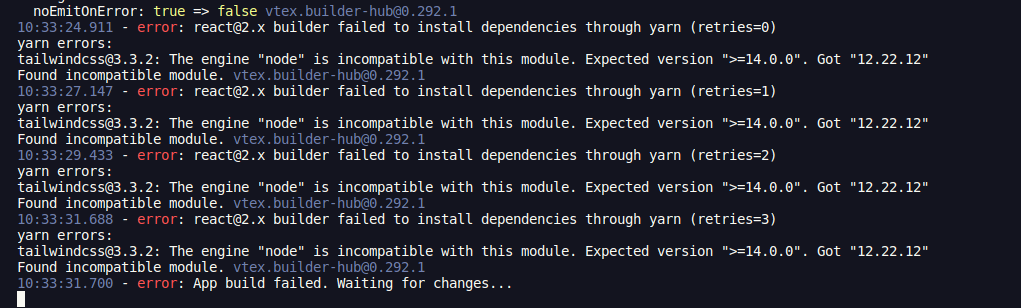
I am working on a project in which within the main folder we have the “node” folder for backend stuff and the “react” folder for the react application we insert in the checkout. I am trying to install “TailwindCSS” inside the react folder but I am getting the following problem:
I saw some similar problems here in the Community but none of the answers helped me.
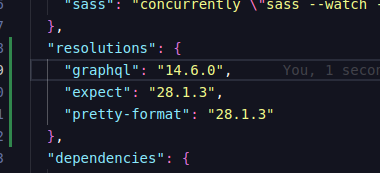
My “resolutions” in package.json is below:
Thanks in advance.
Hey @guycanella, how’s it going?
The current version of TailwindCSS v3.3.2 has a “Changed”:
Drop support for Node.js v12
So in this case I would try downgrading the TailwindCSS version in the resolutions to one that is compatible with Node 12.
Cheers!
Good morning André,
man, it didn’t work. It starts throwing other errors. So, is there no way to install tailwindcss 3.3.2 because of the Node version? Is there no way to update the Node version in the VTEX builder?
Hi @guycanella
There’s a thread here in the community where @laricia, who works at VTEX, comments:
The Node version we use in IO is 12.16.1, which is why this error occurs even though the Node version on your machine is more up to date.
So looking at the package.json for v3.2.4 we can see that it’s the most recent version that uses a version compatible with the Node running in IO workspaces.
  "engines": {
    "node": ">=12.13.0"
  }