I need to change the Pix payment method, which is currently set up with PagSeguro — I need to switch it to Santander. I’d like a step-by-step guide for this configuration and testing before making it available to customers.
Good morning, @renato.moura there is a detailed step-by-step guide on how to perform this configuration in this topic here:
As for testing, what I recommend: Make the change to the payment method during a low-traffic period in your store, wait a few minutes for it to take effect, and then you can either complete a Pix transaction with a product and then cancel it, or generate a gift card for yourself worth almost the full purchase amount and pay just $0.01 via Pix to evaluate how the transaction flow worked.
Karina Mota
Field Software Engineer | VTEX
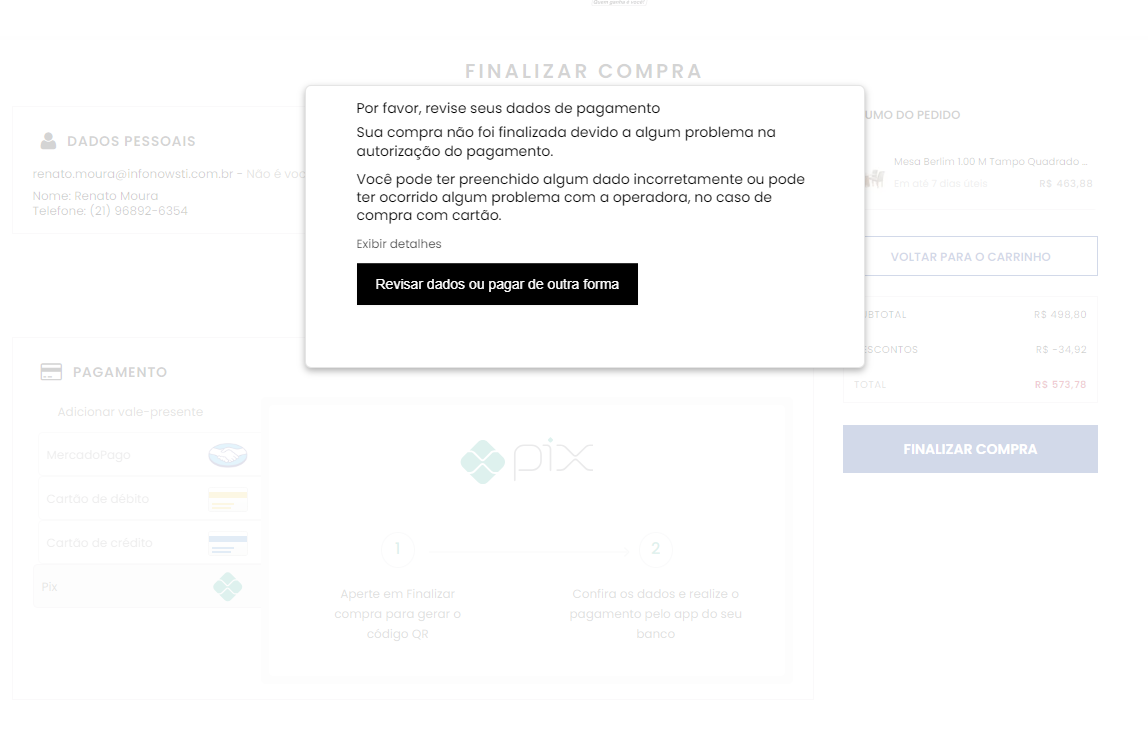
Hey @renato.moura, ideally you should check the transaction logs to see what’s going on. This topic can help you understand how to do that:
But it’s worth noting here that VTEX is passive when it comes to the payment flow, so I believe this is something you’ll need to check with Santander. After reviewing the transaction logs, you’ll be able to get the message that caused the authorization to be denied — it’s usually something like this:
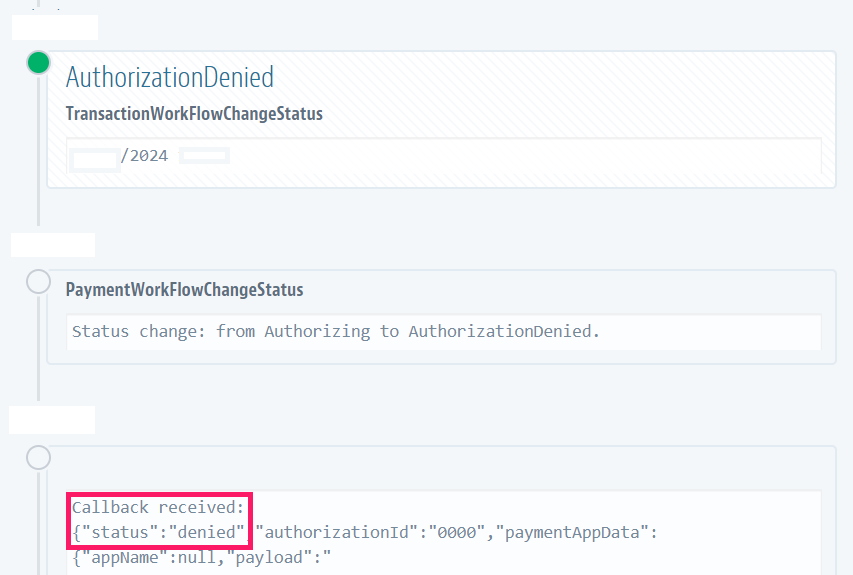
With that message, you can check with them what may have happened.
Karina Mota
Field Software Engineer | VTEX
I need the solution for the correct configuration of Santander Pix instead of PagSeguro, since our Pix with the same data configured on this screen already works in physical stores.
still having trouble setting up the SANTANDER pix to replace the pagseguro one… wondering if anyone [VTEX] can help.
Hey @renato.moura, could you give me more details about the issues you’re experiencing?
If the information is sensitive and can’t be shared (since it involves payments), I’ll need to ask you to open a support ticket with our team, including a sample transaction and screen recordings that help identify the problem, is that okay?
I did the requested configuration, with the Santander key and token, and the transaction doesn’t go through — it just gives an error
Hi @renato.moura, what error are you getting?